4 Easy Steps To Update Linksys E1200 Firmware (version v2.0 and v2.2)
 If you are planning to update Linksys E1200 Firmware, then, first of all, ensure you own a compatible WiFi router; the latest versions are suitable only for E1200 v2.2 and E1200 v2.0 wireless products. It is recommended do not even try to install the latest version of Linksys firmware on other models, as they can cause numerous device malfunctions.
Additionally, after downloading the correct .bin file for your unit, it is advised that you establish a secure wired connection between the router and the computer or laptop using an Ethernet cable (WiFi technology may disconnect).
This article explains how to upgrade Linksys E1200 Firmware. Let us begin.
If you are planning to update Linksys E1200 Firmware, then, first of all, ensure you own a compatible WiFi router; the latest versions are suitable only for E1200 v2.2 and E1200 v2.0 wireless products. It is recommended do not even try to install the latest version of Linksys firmware on other models, as they can cause numerous device malfunctions.
Additionally, after downloading the correct .bin file for your unit, it is advised that you establish a secure wired connection between the router and the computer or laptop using an Ethernet cable (WiFi technology may disconnect).
This article explains how to upgrade Linksys E1200 Firmware. Let us begin.
Get your Router Version and Model Number
On the back or bottom panel of your wireless router, you can see the model number and version number both. If you fail to see, then don't worry, model and the version number along with the default IP address of your Linksys device can be easily found in Linksys e1200 manual. After that, plug it into a wall socket.Download Latest Linksys Firmware on your wireless router
- On your computer or laptop visit linksys.com.
- Click on Support.
- Then, enter your Linksys WiFi router model number.
- Click on Get Downloads option.
- After that, click on the version number for your wireless router and then, click on the download link situated under firmware section.
Take a Backup of Linksys smart WiFi setup
Prior to upgrading Linksys E1200 Firmware, it is highly recommended to take a backup of the current Linksys smart WiFi setup (wireless configuration). After that, log into your device’s administration panel using your valid and correct login credentials (username and password). Afterward, from the web interface, choose the following options one by one.- Go to Administration.
- Config Management.
- Backup.
- Config.bin. It is recommended to save this file to a secure location of your computer or laptop.
Upgrade the Linksys router firmware
- Now, from the web interface, go to “Administration” after that, “Firmware Upgrade” and then, select the latest file downloaded file. Once done, click on “Upgrade” (without quotes).
- As soon as the upgrade process starts, please do not click on any other link. Just wait for a few minutes for the upgrade process to complete successfully.
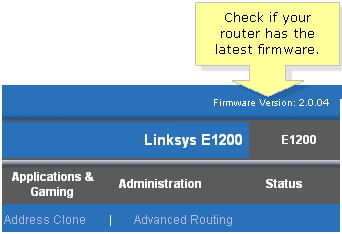
- Once the Linksys E1200 Firmware process is completed successfully, verify your new firmware version to ensure that the upgrade is completed successfully.
- During the installation process, a progress bar will be displayed. Be certain that you don’t disconnect the power/Ethernet cable/wire, reboot your router/computer/laptop, or interrupt the Linksys Firmware process in between. Upon completion of the firmware upgrade process, you will be prompted with a message.
Further reading
Further Reading
Article
How Can Property Spaces and Schools Be Kept Spotless in Port Melbourne?
Keeping properties and schools clean is very important in Port Melbourne. Clean spaces help people feel safe, healthy, and comfortable. Whether it is a home for sale, a rental property, or a busy school full of students, the right cleaning care makes a big difference. This is why many people choose professional real estate cleaning Port Melbourne services and trusted School Cleaning Port Melbourne teams to make sure every area looks fresh and welcoming. When a property is bei
January 25, 2026
Article
Why Every Construction Site Needs Certified Fire Watch Guards - A Complete Safety Checklist
Construction sites are high-risk environments. Open flames, electrical work, welding, flammable materials, and temporary power setups all increase the likelihood of fire-related incidents. Even a small oversight can lead to major losses, including injuries, property damage, legal penalties, and project delays. This is why having a structured fire prevention plan is no longer optional for construction projects of any size. One of the most effective ways to reduce fire risk on
January 23, 2026
Article
Yayasan Sosial Harapan Indonesia: A Beacon of Social Change and Hope
Introduction In a world where inequality, poverty, and social challenges continue to affect millions, organizations driven by compassion and community service play a crucial role in uplifting vulnerable populations. One such organization making a significant impact in Indonesia is Yayasan Sosial Harapan Indonesia â a social foundation dedicated to spreading hope, providing support, and empowering communities in need. With a clear mission to foster sustainable change and pro
December 19, 2025
Article
What Prints Are in Fashion for New Year Celebrations
As Singapore prepares to welcome another exciting year, fashion-forward individuals and groups are turning to custom t shirt printing Singapore services to create memorable celebration attire. This year's trending prints combine festive spirit with contemporary style, making t shirt customization the perfect way to ring in the new year with flair. Metallic and Glitter Accents Take Center Stage Shimmering metallic prints dominate this year's New Year fashion scene. Gold, silve
December 16, 2025