Comprehensive Guidance on Crafting a React Native Video Consultation Healthcare App with Twilio!
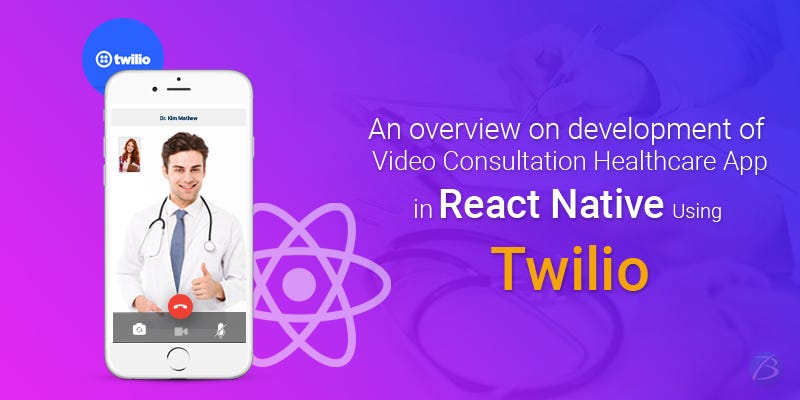
Since the introduction of mHealth apps, healthcare organizations have witnessed a sea-change in the way patients relate to doctors. Now the patients have more control over their medical decisions and the overall system has become more patient-centric. Owing to this, a variety of mHealth apps have emerged in the market and a video consultation healthcare app is one such innovation. This app enables the patients and doctors to communicate instantly in case of an emergency or when it is not possible to visit the hospital. The doctors can send ePrescriptions online and provide medical assistance. So, having an Online Medical Consultation App with a video calling facility can always be a lucrative decision for any medical body or even an individual practitioner.
So, today’s topic is about creating a video consultation healthcare app. We will consider the React Native framework for this purpose since React Native development services are a perfect pick for developing native-like cross-platform apps. Also, we will talk about Twilio as a cloud communications platform that is being widely used in video calling apps. Let’s get started with what Twilio is and then the process to create the app.
What is Twilio?
Twilio is an American cloud-based service or cloud communications platform as a service (CPaaS). It acts as a powerful communication tool and bridges the gap between various mobile devices, other systems, services, etc. and telephony. In React Native development, APIs offered by Twilio enables the developers to implement several communication services like making and receiving audio/video phone calls, sending and receiving text messages, etc. These services also include AI bots, emails, etc. In this process, in addition to audio/video calling, other features like account recovery, phone verification, in-app calls or in-app chats, etc. can also be worked upon.
To integrate Twilio in the app, React Native developer will need existing knowledge on Cocoapods, React Native Navigation, React, etc. Twilio
Here are a few top benefits of using Twilio
- Twilio is quite easy to learn and so, there are a plethora of developers available.
- It follows a standard method of communication: HTTP.
- Switching between technologies is also much easier.
- Owing to Platforms as a Service (PaaS), capital costs are somewhat lower. Even the deployment costs are lower and they increase gradually as the company grows.
Steps for Creating a Video calling Healthcare app with React Native using Twilio WebRTC
While using Twilio WebRTC for the healthcare video calling app, a React Native app development company should follow the step-by-step procedure as given below. This procedure is divided into two major parts where the first part is about generating a token using Twilio and the second part talks about installing dependencies using a React Native starter kit. Also, we will consider a React Native Android app for now. So let’s get started with the first part.
Part 1: Token Generation with Twilio
Twilio provides both IOS/Android SDKs and JavaScript. But for React Native, Twilio does not provide any direct support. So, the React Native developers can use the JavaScript SDK for a few services but this isn’t possible for other services, because to a great extent it depends on browser APIs. There is one more alternative and that would be by porting the native Android/IOS SDK to React Native. So here, we have used this combination: Twilio Video (WebRTC) for React Native.
Firstly, create an account on https://www.twilio.com/. Sign-up for a trial and verify your credentials such as phone number, email, etc. You will now be directed to the Dashboard.
You will need ACCOUNT SID along with an API key and a Secret key for generating a token. For generating an API key, navigate to API keys through the settings. The creation of API key here will give both the Secret key and the API key. It is now possible to generate a token by using npm install which uses npm package. The tokens can also be generated in multiple languages as well. The identity value should be changed for every token as the same token cannot be used at different places.
There is one more way to create a token by the use of Twilio tools. Click on Twilio tools and write an identity and a room name. This will generate the access token. Securely save these keys for the later part.
The Twilio part of the video consultation healthcare app ends here. Now let us start with the React Native development part.
Part 2: Installing Dependencies using a React Native Starter Kit
Here we will be using React Native starter kit that can be copied from the GitHub link- https://github.com/flatlogic/react-native-starter. You need to run the command- “npm install https://github.com/blackuy/react-native-twilio-video-webrtc --save” in the terminal project directory and then write the required code in App.js file.
Make sure that all the required dependencies are installed by the execution of the command- “npm install” in the project directory. Also, you need to make some configurations for utilizing Twilio and also use audio, camera, etc.
For making the goto Android folder, you should add the following code lines in settings.gradle file-
include ':react-native-twilio-video-webrtc'
project(':react-native-twilio-video-webrtc').projectDir = new File(rootProject.projectDir, '../node_modules/react-native-twilio-video-webrtc/android')
Now, go to Android > app > build.gradle file and search for dependencies. After that, add the below-mentioned code in the block.
compile project(':react-native-twilio-video-webrtc')
Also, add the below-mentioned code in Android > app > SRC > main > JAVA > com > reactnativestarter > MainApplication.java.
import com.twiliorn.library.TwilioPackage;
After this, replace the getPackages() method with the required code.
Now for requesting the permissions to the user, it is essential to modify AndroidManifest.xml by adding the required code in this file. Also ensure that in your Twilio account, the client-side room creation is enabled.
Running the Application
Finally, when all the steps are implemented and code is executed, run your React Native healthcare app by the execution of the command- “react-native run-android” from the terminal window.
Final Verdict:
Here we have developed a simple React Native app to demonstrate the video-calling capability of Twilio. But we just need to remember that few things like user connections, user access token generation, room creation, etc. must be very diligently handled on the backend.
You can develop a Video Consultation healthcare app in React Native with Twilio as outlined above. We hope these steps will be helpful to React Native developers as well as a React Native app development company in developing a doctor on demand video consultation healthcare app.
To know more about our other core technologies, refer to links below
Further reading
Further Reading
Article
Rethinking Extra Diabetic Supplies From Storage Burden to Useful Resource
Introduction: The Quiet Weight of Extra Medical Supplies In many homes and storage spaces, boxes of diabetic supplies slowly gather dust. They sit on shelves, in closets, and inside cabinets, often forgotten after treatment plans change or new prescriptions replace old ones. What begins as careful preparation for health can gradually become a burden that feels difficult to manage. The presence of extra supplies can create emotional and physical clutter, leaving people unsure
February 9, 2026
Article
Invisalign Treatment in Lewisville: A Clear Path to Straighter Teeth
A confident smile can make a lasting impression. If youâve been thinking about straightening your teeth but donât want the look or feel of traditional braces, Invisalign treatment in Lewisville offers a modern and discreet solution. With clear aligners and advanced digital technology, Invisalign makes it easier than ever to achieve a beautifully aligned smileâwithout metal brackets or wires. What Is Invisalign? rnInvisalign is an orthodontic treatment that uses a series
February 9, 2026
Article
The Health and Mental Health Benefits of Choosing the Right Mattress and Why Good Sleep Matters More Than You Think
Sleep is not a luxuryâit is a biological necessity. Yet millions of people struggle with poor sleep quality without realizing that their mattress may be a major part of the problem. From physical pain to mental exhaustion, the surface you sleep on plays a critical role in how your body and brain recover each night. Choosing the right mattress is not just about comfort; it is about long-term health, emotional balance, and daily performance. With guidance from a Local Mattres
February 5, 2026
Article
Why 24/7 Nursing Care Is a Game-Changer for Senior Health in Downey, CA
As seniors age, healthcare needs often become more complex and unpredictable. Medical concerns donât follow a scheduleâsymptoms can worsen overnight, medications may need close monitoring, and emergencies can happen at any hour. This is why 24/7 nursing care in Downey, CA plays a critical role in protecting senior health and providing peace of mind for families. What Makes 24/7 Nursing Care Different? Unlike limited-hour care models, 24/7 nursing care ensures licensed nur
January 22, 2026