A Guide to Removing Apps from Apple Watch
Apple Watch comes with built-in apps. You can add new features and functionalities to your watch by installing new apps. First of all, protect your Apple Watch with iwatch screen protector . You can install an app and when you no longer need it, you can easily remove it in two simple ways. You can delete an app directly from the watch. You can also use the Watch app on your iPhone to delete apps on your smartwatch.
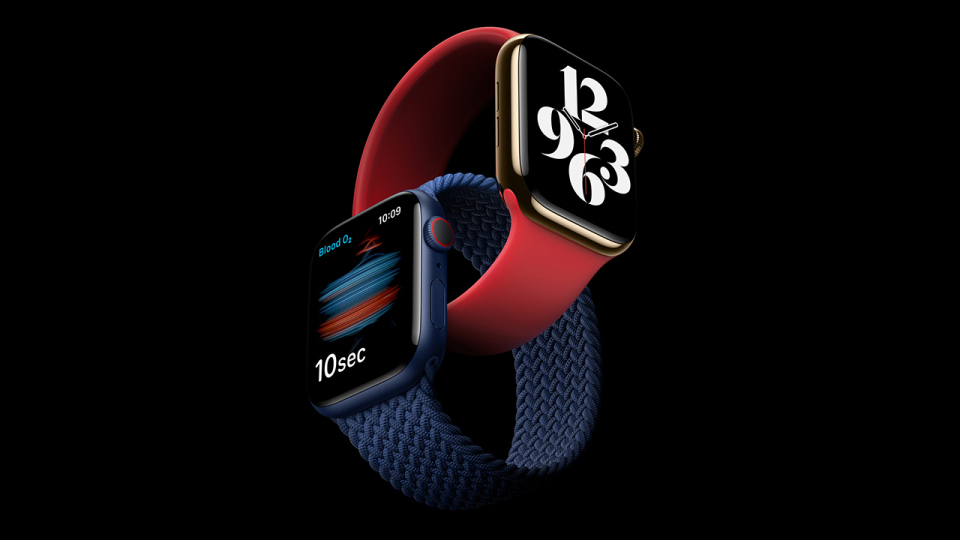
Deleting Apps from the Watch
Take the following steps to delete apps:
Use the Digital Crown of the watch to scroll through the apps. If you use grid view, you will not see a list.
Find the app you no longer need. Use your finger to swipe around the face. You can change the size of app icons by turning the Digital Crown. Scroll up and down if you use List View.
Now you have got the app you want to remove. Tap the app and hold. If you are using List View, tap and hold the name of the app you want to remove. The icon will wiggle. You will find a ‘X’ on the icon’s upper left-hand corner.
Tap ‘X’ icon.
Confirm
Delete App
You can also move apps around. Tap and hold the app you want to move. When you see the X icon, you can move around the selected app.
Using iPhone to Delete Apps
Take the following steps to use iPhone to delete an app on your Apple Watch:
Unlock your iPhone and open the Watch app.
Scroll down to the section containing third party apps.
Tap the app you want to remove.
Toggle the Show App.
You will see a message ‘Uninstalling’.
Once the app is deleted, the watch will no longer display the ‘uninstalling’ message.
Want to get the app back?
Launch the Watch app.
Scroll to section ‘Available Apps’.
Find the app you want to install. Tap Install next to the app. This will once again install the app on your Apple Watch. You will see a square icon with a circle around it. If you want to stop reinstalling the app, you can tap the square.
Automatic App Install
If you don't want Apple Watch-enabled apps on your Apple Watch from your iPhone, you can turn Automatic App Install off. You can use your iPhone or Apple Watch App Store to manually install apps.
Take the following steps:
Unlock your iPhone and open the Watch app.
Select My Watch tab.
Tapping General will take you to the settings.
Locate Automatic App Install and toggle the switch. This will turn off the Automatic App Install. This will turn the green button to white/grey.
You can follow these steps to declutter your space. Removing unnecessary apps is also one of the ways to save memory and battery. Sometimes your watch fails to update when you don't have enough space. You have to remove some apps. You can also remove photos or music synced to your watch. Freeing space also makes your watch perform better.
You also want your Apple Watch to look better. Online stores bring you a good number of collections of different types of bands for Apple Watch such as leather loop, Milanese loop and more. You don't want ugly scratches on the screen. Therefore, use the best iwatch screen protector. You never know when you will accidentally drop your Apple Watch.
Article author
About the Author
I am Eric Desuza a pro-level blogger with 5 years of experience in writing for multiple industries. I have extensive knowledge of Food, Fitness, Healthcare, business, fashion, and many other popular niches. I have post graduated in arts and have a keen interest in traveling.
Further reading
Further Reading
Article
24 Best AI Digital Marketing Agency Picks for Data-Driven Growth in 2026
Artificial intelligence has permanently reshaped digital marketing. What used to take weeks of testing, manual reporting, and reactive strategy shifts can now be optimized in real time through predictive systems. Thatâs why more brands are actively searching for a high-performing AI digital marketing agency â not just a traditional firm with a few automation tools. But hereâs the key: A real AI digital marketing agency builds intelligent infrastructure. A basic agency s
February 23, 2026
Article
Common Mistakes to Avoid When Selling Diabetic Supplies Online Safely
Navigating the Online Marketplace: A Guide to Selling Diabetic Supplies Safely The world of online marketplaces offers a unique opportunity to connect unused medical supplies with those who might need them. For individuals managing diabetes, this can mean finding a responsible way to ensure valuable, unopened test strips, sensors, and other essentials donât go to waste while potentially helping someone else. However, this journey is filled with potential pitfalls that can l
January 14, 2026
Article
The Hidden Key to Solar Growth: Lowering Costs with Pre-Set Appointments
The solar energy industry is riding a massive wave of innovation and demand. From shimmering rooftop installations in sunny suburbs to sprawling utility-scale farms stretching across the desert, the global shift toward clean energy is undeniable. Yet, for all the technological leapsâthe ever-increasing efficiency of monocrystalline panels, the smarter inverter technologyâa fundamental challenge often lurks in the shadows for installation companies: the high cost of custom
December 5, 2025
Article
The Silent Revolution: How Solar Appointments Are Powering Growth
A New Dawn in Energy Across quiet suburbs and bustling cities alike, a transformation is unfoldingâone that doesnât roar with fanfare but hums with quiet determination. The world is slowly turning its face toward the sun, not just for warmth and light, but for power. This shift isnât driven by grand speeches or sweeping mandates. Instead, itâs happening one conversation at a time, one rooftop at a time, through a process thatâs as unassuming as it is powerful. The T
October 24, 2025